


What is GTA on Browser?
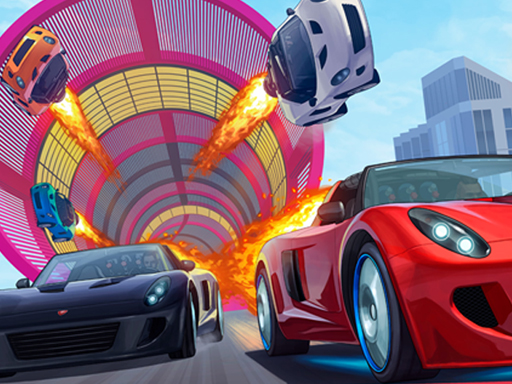
GTA on Browser is a free open-city driving game that runs inside a normal web page. Press the play button above and a 3D city loads straight into this tab: streets, traffic, crossings, cars and motorbikes, all rendered with WebGL by your browser. There is nothing to install, no launcher, and no account to create before you start.
The name describes the idea rather than a brand. GTA on Browser is not Grand Theft Auto, and it is not made by Rockstar Games. It is an independent browser game in the GTA style, built around drifting through a city and the loose, roleplay-flavoured freedom that people love about open-world crime games. Think of it as the quick, lightweight version of that feeling: you get the city and the car in seconds, without a 100 GB download.
That is also why this kind of game has become a popular search. While everyone waits for GTA VI on consoles, plenty of players simply want to drive around a city right now, on whatever computer they have in front of them. A browser game is the shortest path from that wish to actually playing.
How to play GTA on Browser
Getting started takes three steps:
- Press Play. Click the cover image or the Play button. The game loads in the same frame; on a typical home connection that takes a few seconds, longer on slow Wi-Fi.
- Wait for the city. The first load downloads the 3D models and textures. Your browser caches them, so the next session usually starts faster.
- Drive. Pick a vehicle if the game offers a choice, then head into the streets.
Use the Fullscreen button above the player for the best view. On a laptop, fullscreen hides browser tabs and gives the game every pixel, which makes cornering and drifting much easier to judge.
Controls
Like most driving games in the browser, it is designed for a keyboard. The usual layout is W A S D or the arrow keys to accelerate, brake and steer, with an extra key for the handbrake that kicks the rear out into a slide. Key bindings can differ between versions, so check the in-game menu or help screen the first time you play; it lists the exact keys for the build you are running. Click inside the game frame first so it receives your key presses instead of the page.
Drifting in GTA on Browser: tips that actually help
The "drift" part of the game is where most of the fun is. A few habits make it click faster:
- Brake before the corner, not during it. Scrub speed on the straight, then turn in. Braking mid-corner usually straightens the car instead of sliding it.
- Tap the handbrake, don't hold it. A short tap starts the slide; holding it too long spins you around.
- Steer into the slide. When the back steps out to the left, ease the steering left to catch it. Small corrections beat big ones.
- Use wide junctions. Intersections and open roads give you room to hold a long drift without clipping traffic or walls.
- Practise on one block. Loop the same few streets until you know where each corner tightens. GTA on Browser rewards muscle memory more than raw speed.
If your car keeps spinning, lower your speed by a notch. Most drift mistakes come from entering a corner too fast, not from bad steering.
The technology behind GTA on Browser
A few years ago a 3D city in a web page would have sounded unrealistic. Today it is normal, and this game is a good example of how far browser technology has come.
WebGL is the key piece. It lets a web page talk to your graphics card directly, so the browser can draw 3D roads, buildings and vehicles with real lighting, much like a downloaded game does. Every modern browser supports it: Chrome, Edge, Firefox and Safari all run WebGL without plug-ins.
Game engines that export to the web do the rest. Developers build the city, physics and controls in an engine, then export a web build made of JavaScript and WebAssembly files. When you press Play, your browser downloads those files once, compiles them and runs the game locally on your own hardware. That is very different from cloud gaming: GTA on Browser is not a video stream of a game running on a distant server. It runs on your device, which is why it works without a subscription and why it keeps running smoothly once loaded.
Smart asset sizes make it practical. A browser game has to fit in a download measured in megabytes, not gigabytes. That is why the game uses a compact city, simpler textures and efficient models instead of the photorealistic detail of a console title. The trade-off is deliberate: less detail, instant access.
If you are curious how this compares to streaming a full console game, our guide to GTA 6 cloud gaming explains the difference between running a game in your browser and streaming one from a data centre.
Which devices can run GTA on Browser?
Because it runs on WebGL, GTA on Browser works on most hardware made in the last several years:
- Windows PCs and laptops — the best experience, especially with a keyboard and a dedicated or recent integrated graphics chip.
- Mac — runs in Safari, Chrome or Firefox on both Intel and Apple Silicon machines.
- Chromebooks — playable on most models, since Chrome OS has full WebGL support.
- Phones and tablets — the page opens, but a keyboard-driven drift game is hard to control by touch. Treat mobile as a quick look, not the main way to play.
For the smoothest frame rate, close other heavy tabs, plug in your laptop so it doesn't throttle, and keep your browser up to date. If the game stays on a black screen, check that hardware acceleration is turned on in your browser settings.
GTA on Browser vs. the real GTA games
It helps to be clear about what you are playing. GTA on Browser is a small, free, fan-style driving game. It gives you a city to explore and cars to slide around, and it loads in seconds. It does not include the story missions, characters, map, or online servers of any Rockstar game, and nobody can legally offer the real Grand Theft Auto as a free browser download.
That matters because "GTA free download" and "play GTA in browser" searches attract scam sites. If a page promises the full GTA V or GTA VI for free in a tab, or asks you to install a "launcher" to unlock it, close it. Official GTA games are sold only through Rockstar and the major console and PC stores. Our GTA 6 PC page tracks what has actually been confirmed for computers, and the GTA 6 release time guide shows when the console version unlocks in your time zone.
The game is honest about being something else: a free way to scratch the open-city driving itch while you wait, or during a short break when a full console session isn't possible.
Why players keep coming back
The appeal of GTA on Browser is simple. It is instant, it is free, and it captures a slice of what makes open-world driving fun: no route to follow, no timer forcing you along, just you, a car and a city. Sessions are short enough for a lunch break.
It is also a great way to test your setup. If it runs smoothly, your machine and browser handle WebGL well, which is useful to know before trying heavier browser games.
When you have had your fill, go back to the GTA 6 Browser home page for the latest GTA VI launch news, or browse more free browser games we add over time.